No More Notification Ads and Icon Ads in Android Apps

Posted by Unknown Jumat, 23 Agustus 2013 0 komentar
Here's a Google Play policy change that will make a lot of Android users happy: Android apps will no longer be able to install home screen icon for third-party services and show notification ads.

From Google: "Apps and their ads must not add homescreen shortcuts, browser bookmarks, or icons on the user's device as a service to third parties or for advertising purposes. Apps and their ads must not display advertisements through system level notifications on the user's device, unless the notifications derive from an integral feature provided by the installed app. (e.g., an airline app that notifies users of special deals, or a game that notifies users of in-game promotions)."

The Google Search app will be able to show Google Now ads for nearby businesses, but a random game won't be able to show ads for third-party services.

There are a lot of Android apps like TrustGo Ad Detector or Lookout Ad Network Detector that show warnings if you install apps that use ad services like AirPush. "Smartphone usage has skyrocketed, and some advertisers have begun to experiment with aggressive, new techniques to display ads on mobile devices. This includes pushing ads to the standard Android notification bar, dropping generically designed icons on the mobile desktop, and modifying browser settings like bookmarks or the default homepage," explains Lookout.


Baca Selengkapnya ....

New Gestures in Chrome for Android

Posted by Unknown 0 komentar
One of the most annoying features in Chrome for Android has been finally removed in the latest beta release: swiping from the edge of the screen to switch tabs. It's very easy to trigger this gesture accidentally when you open desktop sites and some sites use similar gestures (Google Image Search).

Google replaced it with a gesture that's less error-prone: "swipe horizontally across the top toolbar to quickly switch tabs". It's hard to this accidentally when browsing the web. Google added other gestures: "Drag vertically down from the toolbar to enter into the tab switcher view. And drag down from the menu to open the menu and select the item you want without having to lift your finger. Zoom into your preferred magnification on any desktop web site by double tapping on the page and swiping your finger up-down without lifting it."


Chrome 30 for Android brings a lot of other useful features: WebGL support, media source extensions for adaptive streaming and time shifting live streams, DeviceMotion events and reverse image search powered by Google.

Reverse image search (or search by image) is also natively supported in Chrome 30 for desktop: just right-click an image and pick "search Google for this image".


Chrome Beta for Android is available in Google Play, while Chrome Beta for desktop can be downloaded from here.

Baca Selengkapnya ....

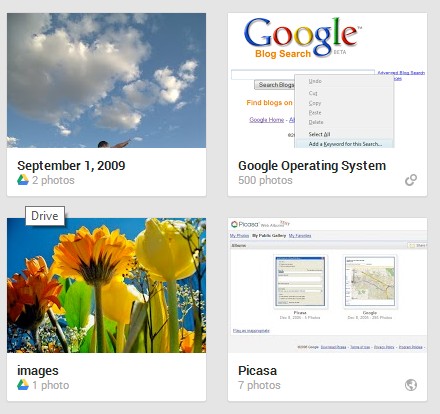
Which Google Drive Images Are Added to Google+ Photos?

Posted by Unknown 0 komentar
If you're wondering why not all the image files from Google Drive are available in Google+ Photos, here's the explanation. Google+ Photos only imports photos if they meet these criteria:

1. photos MUST be at least 512 x 512
2. JPG photos MUST have 'Date Taken' EXIF metadata
3. supported formats: JPG, GIF, WebP, RAW.

I've tested various image files and these are the rules. Google wants to restrict the feature to photos, but it's not clear why GIF and WebP are allowed, while PNG isn't.


{ Thanks, Martin. }

Baca Selengkapnya ....

Google Updates the Dictionary OneBox

Posted by Unknown Kamis, 22 Agustus 2013 0 komentar
Google updated the dictionary OneBox with etymological information, a translation box and a graph that shows the use of a word over time. The graph is based on the Google Books Ngram Viewer and it shows the number of mentions of a word over time in a corpus of millions of books. You need to click the arrow icon at the bottom of the box to see the new features.

Here's the expanded definition box for [sophist definition]:


Google offers a lot of useful information about the origin of a word and it shows how it has evolved. Here's a more complex example for "engine".


If you pick a language in the translate box, Google remembers the language and it translates your keywords automatically.


Google now shows synonyms, antonyms and usage examples for each meaning of the word and links to the synonyms, antonyms and some words from the definitions:


Search for [define top] to see a huge list of definitions and 2 distinct dictionary entries. If you search for [define draught], Google shows the definitions for "draft". Search for [define a] to see a long list of prefixes, suffixes and abbreviations.

Sometimes Google also shows a topic like "geometry" next to a definition:


Unfortunately, the dictionary option from the search tools is no longer available. This means that Google's definitions from the web are only displayed if the words can't be found in the dictionary used by Google (Oxford Dictionary).


Another drawback: Google no longer links to Wikipedia, Dictionary.com, Answers.com, Merriam-Webster, The Free Dictionary and other sites that provide definitions.

{ Thanks, James Sacuan. }

Baca Selengkapnya ....

Google Tests a New Mobile Search Interface

Posted by Unknown 0 komentar
Google tests a new card-style interface for mobile search results. There are special cards for Knowledge Graph results, results from specialized search engines and for related searches. The new interface only shows Previous/Next buttons.


Many Google web apps and mobile apps use the card-style interface that was first added to Google Now. You can find it in Google Search, Google Play, Google+, the new Google Maps, Google Keep, the new YouTube app. "A lot of use of white space, not a lot of artificial, surface-like divisions. We're really counting on bold typography, white space, and big images to give emphasis, give character and give hierarchy to the cards that we give you," said Matias Duarte, who leads the Android User Experience team.

{ Thanks, Nedas. }

Baca Selengkapnya ....

Blogger Bug Hides Old Comments

Posted by Unknown 0 komentar
I don't like to use this blog to report bugs, but sometimes it's important to do that. Blogger no longer shows the old comments imported from the native commenting system. I've switched to Google+ comments and all the comments were properly imported. Now the legacy comments are no longer displayed.

Here's an old post that has 218 comments, but none are displayed:


Disabling Google+ comments fixes this issue, but the comments powered by Google+ are missing. This means that the old comments aren't lost, but there's a bug in the Google+ commenting system.

I checked the Blogger help forum before posting this and I was surprised to see some top contributors claiming that "all the non-Google+ comments disappear when you switch to Google+ comments". I'll link to the official Blogger blog: "older comments will continue to appear in the new widget".

Update (a few hours later): Google fixed the bug, but there's another one. I can't post a new comment and clicking "reply" doesn't have any visible effect. I've seen similar reports in the Blogger help forum.

Update 2: Google acknowledged the second issue and promised to fix it.

Update 3: Apparently, blog owners were the only ones that couldn't post, but this was fixed. Thanks, Yonatan Zunger.

{ Thanks, Kristian. }

Baca Selengkapnya ....

Google Keep Reminders

Posted by Unknown Rabu, 21 Agustus 2013 0 komentar
Google Keep now allows you to add reminders to your notes. Just like in Google Now, you can add time-based reminders and location-based reminders. "Time reminders work on all devices, but location reminders will only be triggered on mobile devices," mentions the help center.

"To get started, select the 'Remind me' button from the bottom of any note and choose the type of reminder you want to add. You can add time-based reminders for a specific date and time, or a more general time of day, like tomorrow morning. Adding a location reminder is incredibly easy too — as soon as you start typing Google Keep suggests places nearby," explains Google.

Here's the desktop Google Keep site:


The Android app has been updated and now supports reminders. There's a new navigation drawer with separate sections for archived notes and reminders and you can now add photos from the Gallery without using the "share" feature.


Google Keep integrates with Google Now, so all the Keep reminders are added to Google Now. You'll find them in Settings > My Stuff > Reminders. For some reason, the reminders added from Google Now aren't available in Google Keep.

You'll get notifications in Google Now, the Google Keep app for Android, the Google Keep app for Chrome (desktop notification) and the Google Keep desktop site (alert box), but you won't see redundant notifications. If you have both the Google Search app and Google Keep, you'll only get notifications from Google Keep.

When Google Tasks is discontinued (it will happen eventually), Google Keep will be the replacement. It's optimized for mobile and it doesn't integrate with Gmail or Google Calendar, but at least it's constantly improving and it has a cool mobile app.

Baca Selengkapnya ....
Trik SEO Terbaru support Online Shop Baju Wanita - Original design by Bamz | Copyright of android ipad.